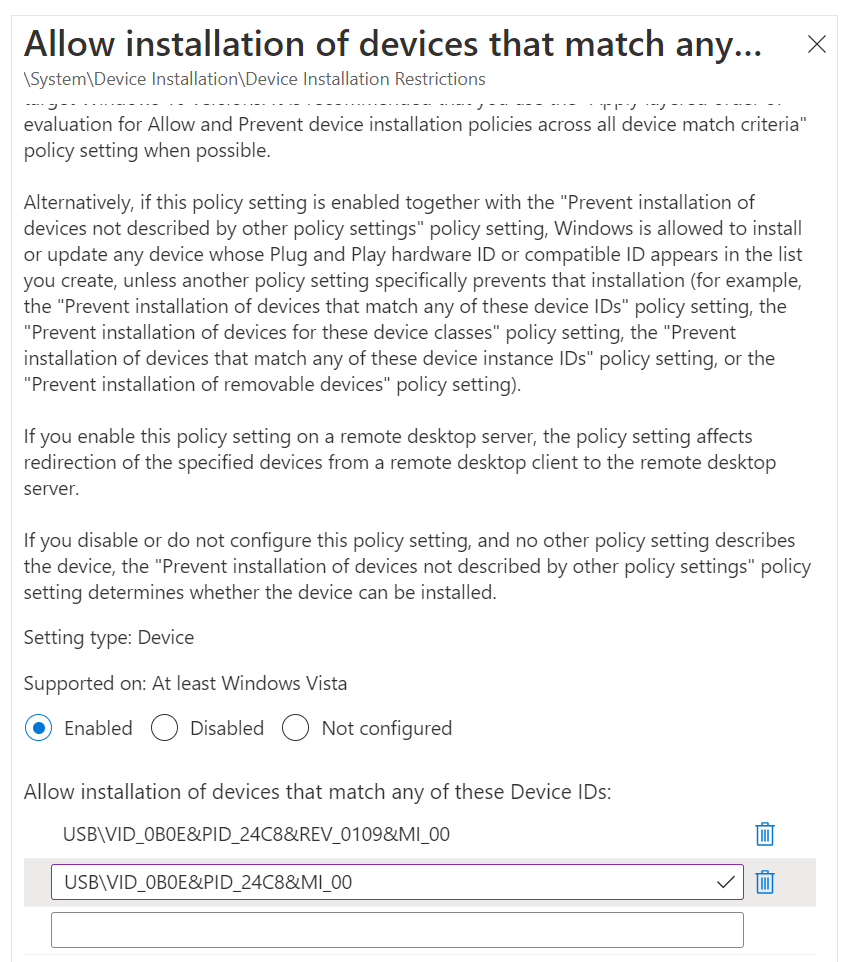
I will admit, this one was very frustrating to figure out. The reason I found it frustrating was because most of the documentation that I could find did not really work. For instance in this MSFT learn site one of the policies that it says to enable is Allow installation of devices that match any of these Device IDs. On the screen shot see below how it says the Hardware or Device ID is something that begins with USB\VID. Well that’s not the case.
If you continue to read on it says the following
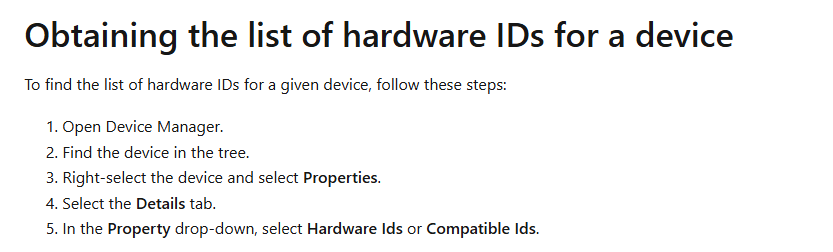
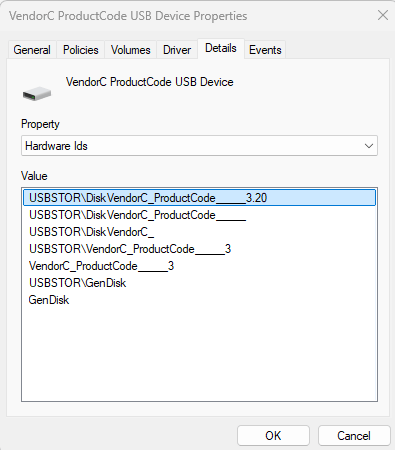
Now if you do what they say here is what you find under Hardware Ids. Notice anything? I do not see the same format
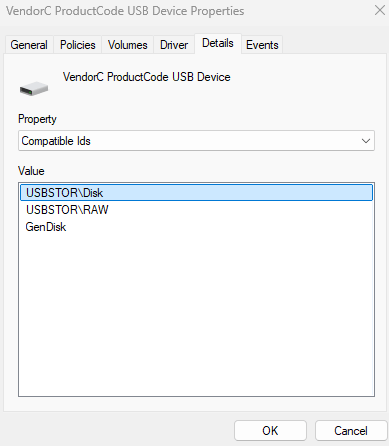
If you look at Compatible Ids you see the following and again not what the screenshot shows
I searched and searched and found some articles that almost where correct but nothing I could find would work. I did end up finding this great YouTube Video. It helped me, but the one odd thing about it. They were using Custom-OMA settings. I was able to do the whole thing just using the settings catalog.
Enough of my ranting for now, lets get into this. If you go to my GitHub site I have the full writeup of what I did. As always please reach out to me if you have any additional comments or suggestions of how I could accomplish this in different method. I did some references to using ASR rules, but this was not the direction I wanted to go.
 Ed_Tech_Jeff