Ever had a device that you notice was still in MDE? It’s not been on the network for years or months or ever how long, but you know it’s gone, but it’s still there. For some crazy reason and I know there is a good reason, but you cannot just click on a device in MDE and delete it, so how do you do that? Well, I am here to show you how. API is the method that I found after doing some searching. It’s pretty easy, I have 2 sites that I found some references on how to do this, 1 and 2, great stuff to read but in short this is how you do it, now let’s get into it.
First you need to open up MDE and look under assets,

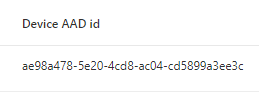
Now scroll to the right and I usually sort them by last device update and that gives me ones that are the oldest, record the Device AAD ID
Still in MDE, go under Endpoints > Partners and APIs > API explorer
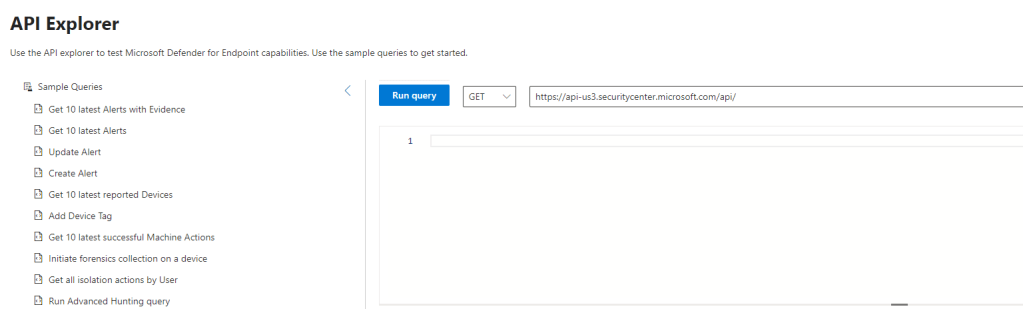
I have not used this a ton, but it works great for this, now you will need the following code, also change it from Get to Post
Note: You will need to take out the dashes from the machine ID
https://api.securitycenter.windows.com/api/machines/ae98a4785e204cd8ac04cd5899a3ee3c/offboard
In box below the query put in the following code
{
 "Comment": "Offboard machine by automation"
}
Your screen should look something like this
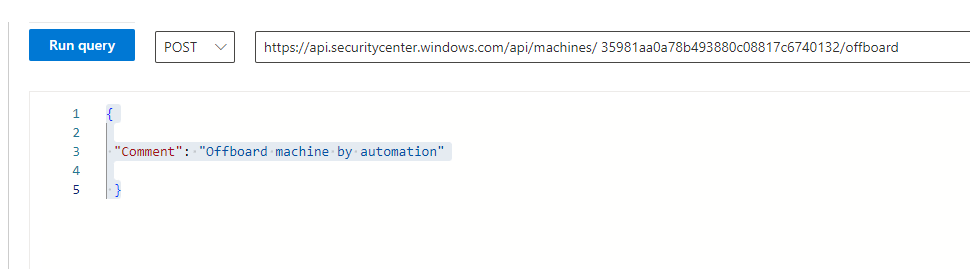
Click Run Query
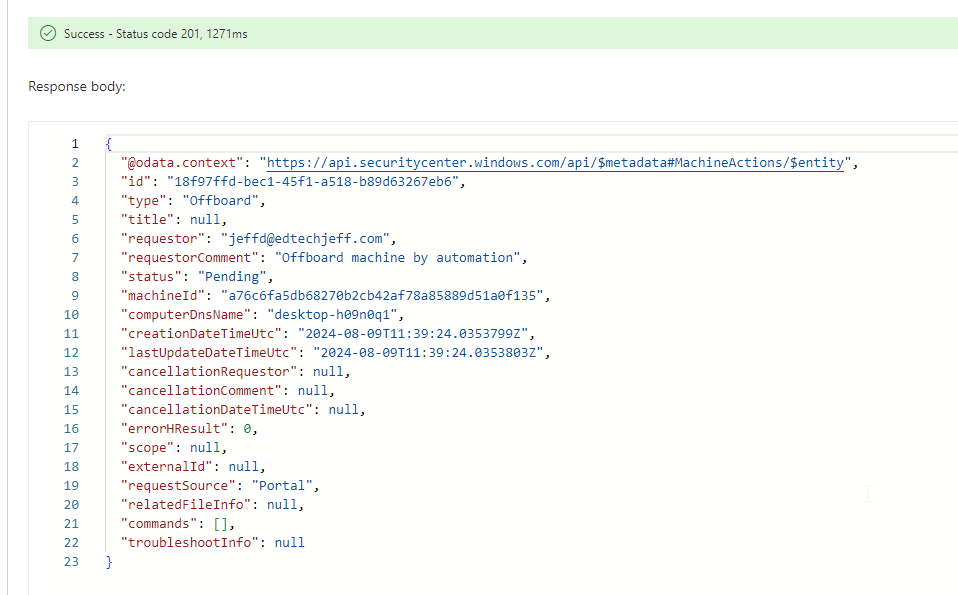
Now let’s run it again so you can see what happens if you do, it fails
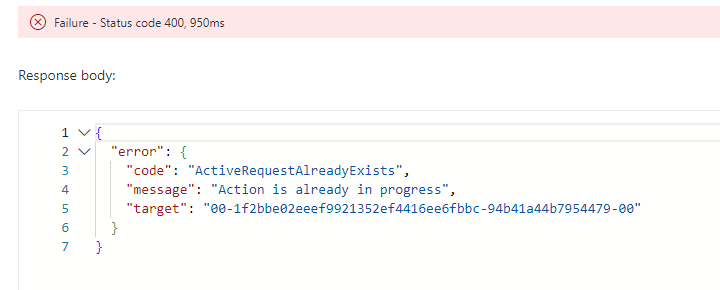
well of course it fails, it’s in progress. From the documentation it will offboard or remove the device from the console. I will apologize for not remembering how long it takes them to actually remove. I will watch ones I removed today and update this article with that information.
Hope this helps and still researching if this is possible to do for multiple machines at one time. Not an expert at API but learning and wanted to share. Cheers.
 Ed_Tech_Jeff