For the record, I am not a fan of doing capturing images, but sometimes you will need to. Enough of that, lets get into it.
Install both ADK for Current version and win PE ADK also. For this exercise you only need the Deployment Tools
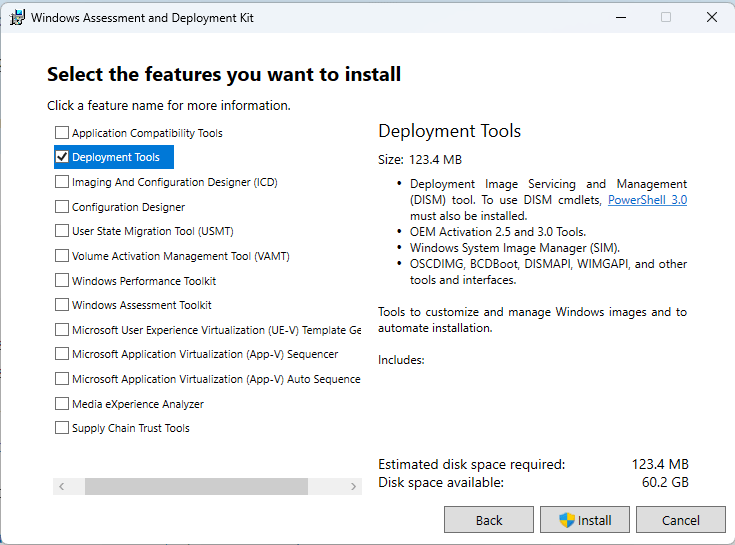
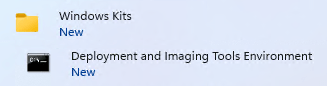
Once you install it launch the PE tools as ADMIN
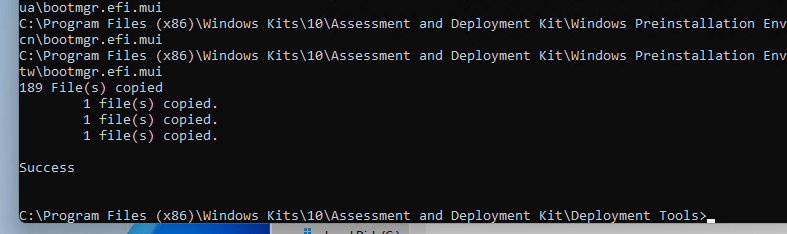
Run the following command to pull the files needed to create a boot ISOcopype amd64 C:\WinPE_amd64
Run the following command to create the ISO
MakeWinPEMedia /ISO C:\WinPE_amd64 C:\WinPE_amd64\WinPE_amd64.iso

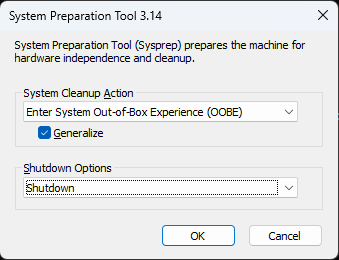
Next step on your client machine Sysyprep the machine and Generalize it
Next Step you need to burn the ISO to a USB, I like to use Rufus, but feel free to use what ever you like.
Next boot up the device with the USB that you just created
Next lets figure out what drive is the Windows Partition
Type Diskpart
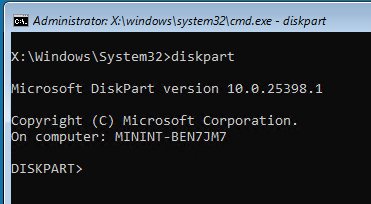
Type List Volume
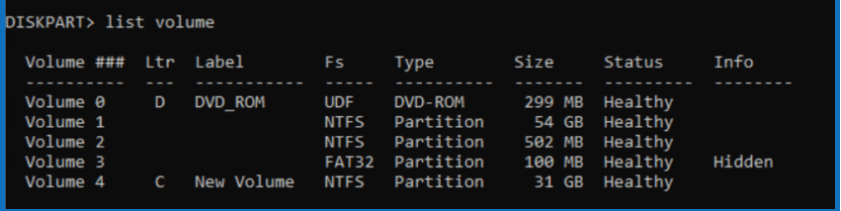
Take note of the drive letter
Please note if the drive does not have a letter you can use the following Select Volume 1 (What ever volume it is)
Assign letter=z (What ever drive letter you want)
Do a control-C to exit out of Diskpart
Once you are done with that you can do the following. You can capture to an external drive or network drive
Example of external drive with D being the Drive letter(Which you would have gotten from the List Volume Command in Diskpart)
Commands
Dism /Capture-Image /ImageFile:"D:\Images\customimage.wim" /CaptureDir:C:\ /Name:customimage
Also can map drive
you need to do a net use commmandnet use u: \\ip_or_name_of_server\SharenameIt will prompt you for full UPN ie user@edtechjeff.com
It will prompt you for password
Commands
Dism /Capture-Image /ImageFile:”U:\customimage.wim” /CaptureDir:C:\ /Name:customimage
Useful Links
Microsoft Documentation
3rd Party Documentation
One additional issue I came across was the Intel Rapid Storage Technology. Diskpart and WinPE do not have the drivers to see the partitions. Download the drivers and then use the following guide on how to customize the WinPE boot file
The following command after you download the IRST files can be used to extract the files
./SetupRST.exe -extractdrivers SetupRST_extracted Ed_Tech_Jeff