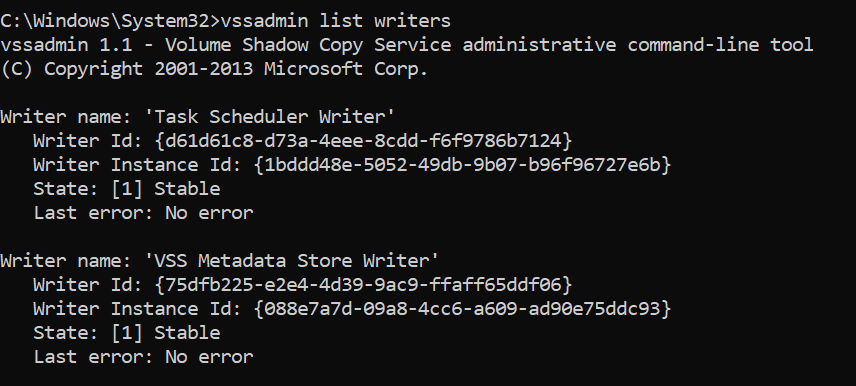
This may not be the most groundbreaking blog, but I wanted to share. Having to look at VSS issues it’s good to know what commands to use to take a look. First step is to take a look at what is running to do this start a command prompt as an administrator and type “vssadmin list writers“. Your results will very depending on the type of devices you are running this on.
I did also find this great reference to the different VSS writers and it had this information on what Service it related to.
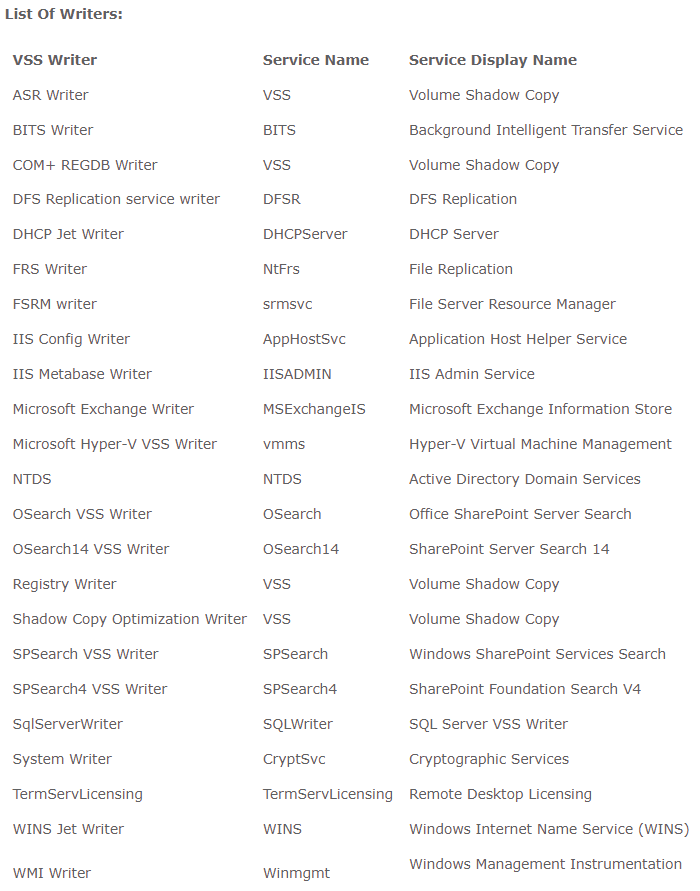
Now with you list of VSS Writers and what service you can via net stop Command. If you were having some issues with NTDS as an example on a Domain Controller you could do a “Net stop NTDS“. Next you would do a “Net Start NTDS“. I will tell you if you do that command other services that depends on NTDS for Active Directory will also warn you they will be stopping also.
This was nothing groundbreaking but wanted to share the joys of being an admin whether are on-prem with VM’s or in the cloud.
 Ed_Tech_Jeff